
Deleting Agreements from Nomos One allows you to have more control over the data that your Organisation contains.
Deleting an Agreement
Please note: Deleting an Agreement from your Organisation is a permanent action. Before you Delete an Agreement, please ensure you export all required reports and any attached documents. These items will be permanently removed as part of the deletion process. In addition, any references to the Agreement in the Activity Report and IFRS 16 Reports will also be removed.
To delete an Agreement:
- Open the Agreement that you wish to delete.
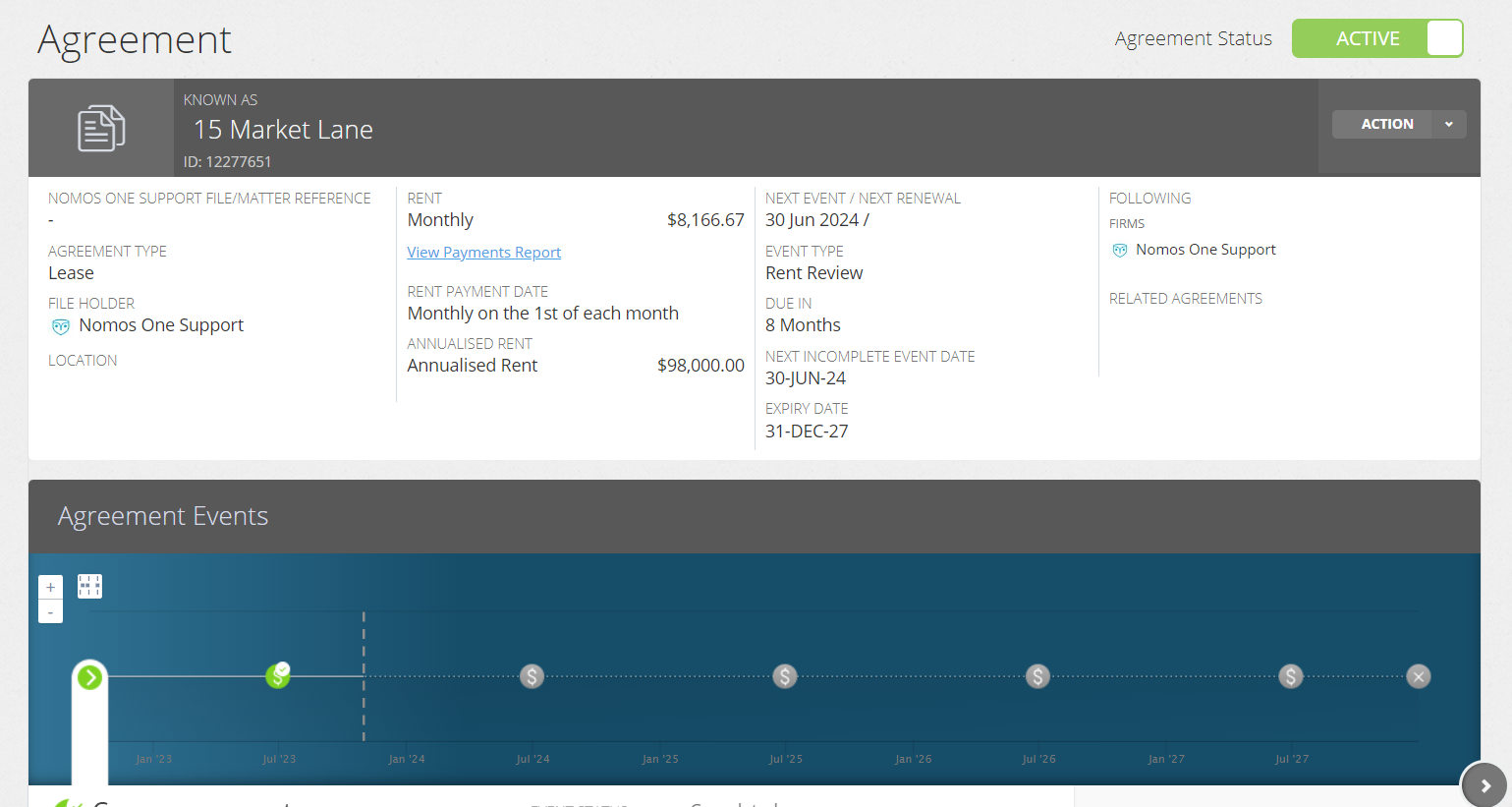
- Click “Action” to reveal the drop down menu.
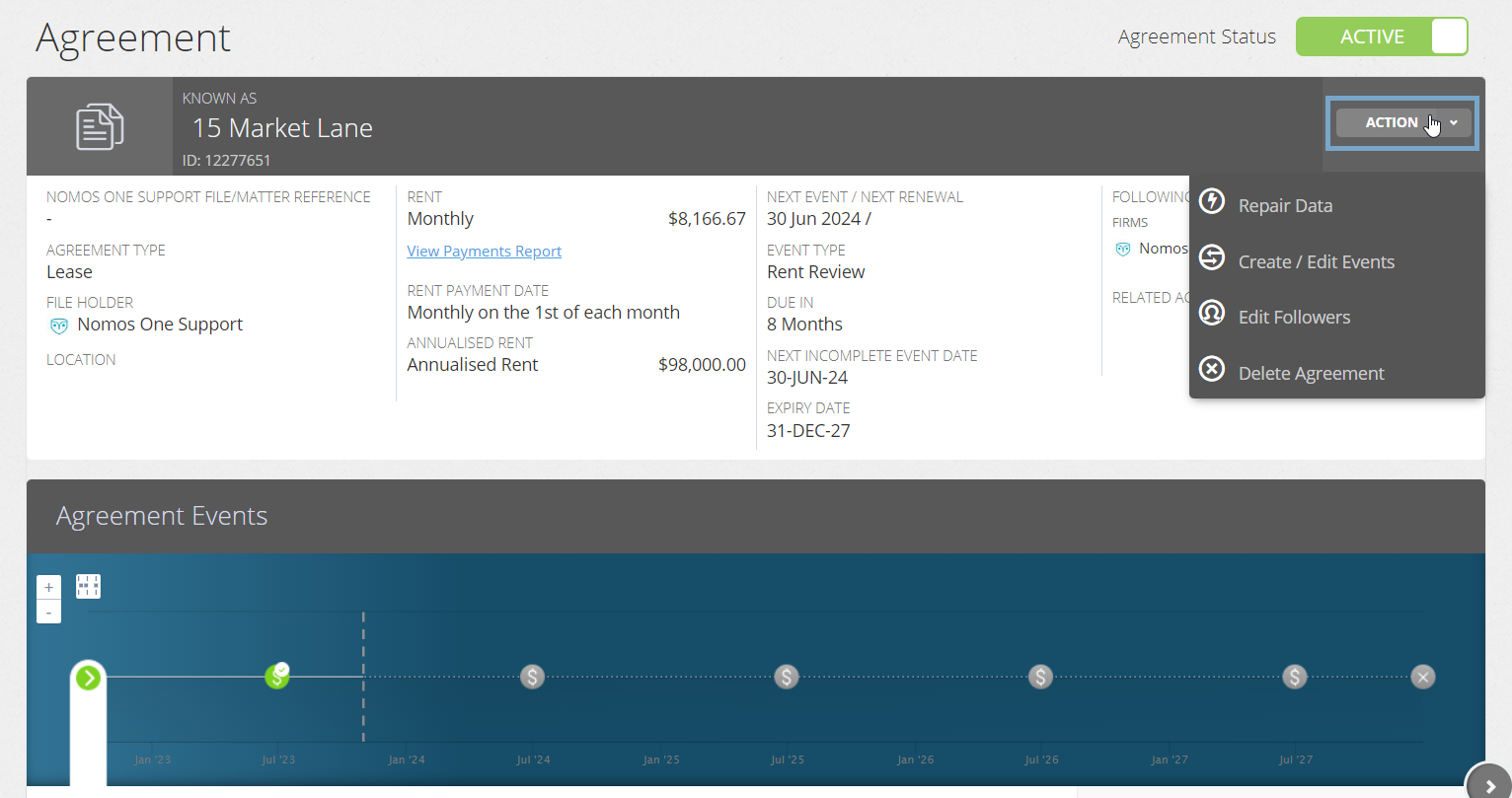
- Select “Delete Agreement”.
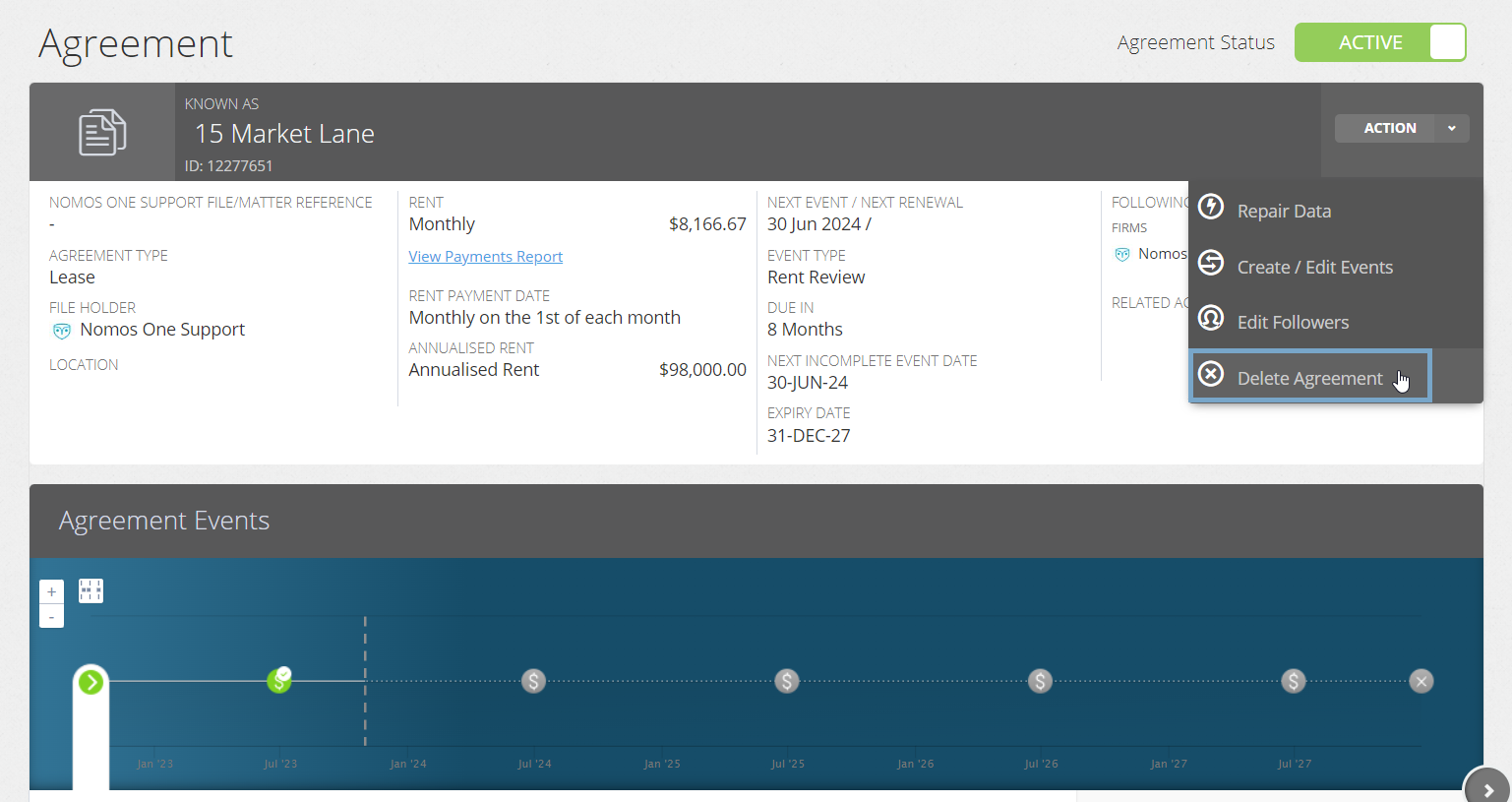
- A disclaimer box will appear. Confirm the permanent deletion of the Agreement from your Organisation by clicking “OK”.
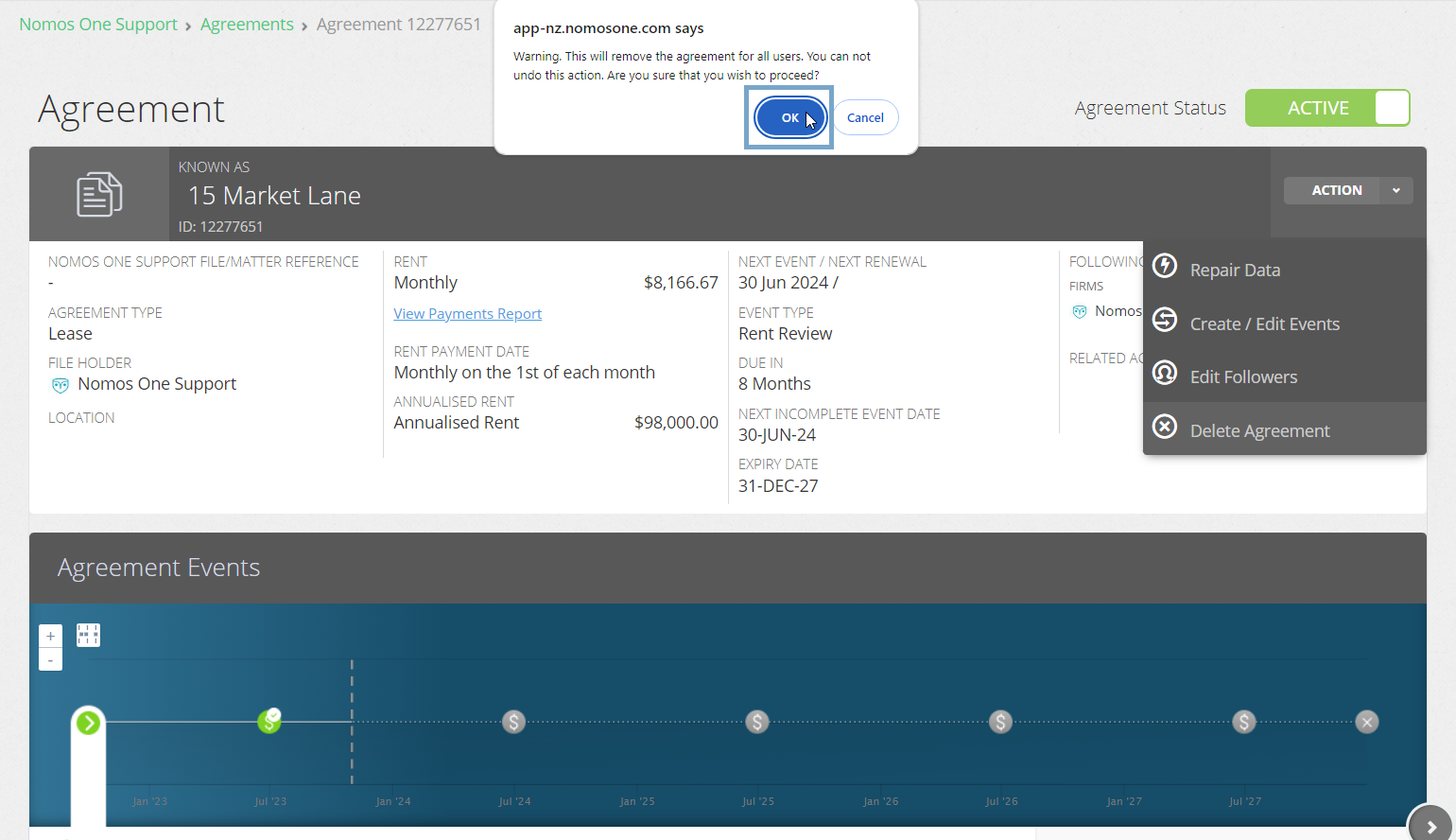
Your Agreement has now been deleted.
What's the difference between deleting an Agreement and making it Inactive?
Deleting an Agreement permanently removes all data and documents relating to it from Nomos One.
Making an Agreement Inactive retains all data and documentation relating to this Agreement in your Organisation, however the Agreement will be excluded from your reporting for all periods while it's inactive, and you'll no longer get notifications or reminders about this Agreement.
You can toggle between Active and Inactive status for your Agreements as required, whereas you can't recover a deleted Agreement.
Nomos One does not provide or purport to provide any accounting, financial, tax, legal or any professional advice, nor does Nomos One purport to offer a financial product or service. Nomos One is not responsible or liable for any claim, loss, damage, costs or expenses resulting from your use of or reliance on these resource materials. It is your responsibility to obtain accounting, financial, legal and taxation advice to ensure your use of the Nomos One system meets your individual requirements.